
Tools – SWD Adapters every Developer should have
Even though SWD and JTAG have well defined standards, there are still several different size connectors and footprints that developers need to be able to support. It often feels like every programmer and every development board is using a different and incompatible connector and cable. In this post, I’m going to share with you the adapters that I keep in my toolbox to cover nearly any circumstance.
Adapter #1 – Tag-Connect TC2050-ARM2010-ND

(Image Source: Tag-Connect)
Usage – Used to adapt from a 20-pin IDC type connector (often programmer side) to a 14-pin IDC cable connector.
Comments – I use this adapter with my J-Link and J-Trace to adapt to the 14-pin IDC which I can then use with other adapters to go to board, IDC or other SWD connectors.
Adapter #2 – Tag-Connect TC2050-IDC-NL-430
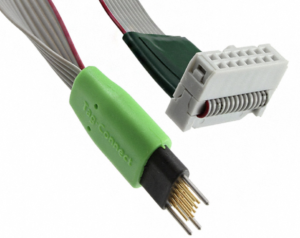
(Image Source: Tag-Connect)
Usage: Adapt from a 14-pin IDC to 10-pin board
Comments: This cable is great for adapting any IDC cable based programmer to the custom Tag-Connect, small footprint board SWD/JTAG pad. You’ll find this type of cable on development boards such as the STM32L4 IoT Discovery Node.
This adapter does require a TC2050-CLIP to secure the adapter to the board.
Adapter #3 – SEGGER 8.06.00 Cortex-M Adapter
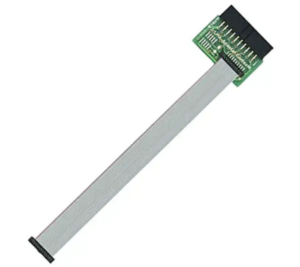
(Image Source: SEGGER)
Usage – Adapts a 20-pin IDC to the smaller footprint 20-pin Cortex-M connector
Comments – This is a good adapter for Cortex-M processors and boards that use the 20-pin connector.
Adapter #4 – SEGGER 8.06.02 Cortex-M Adapter
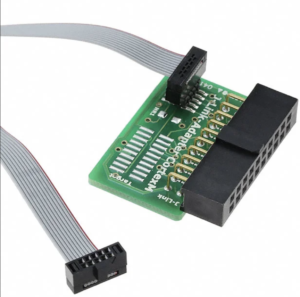
(Image Source – SEGGER)
Usage – Adapts a 20-pin IDC on a programmer to a 10-pin Cortex-M connector
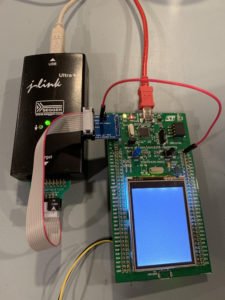
Comments – This is the adapter that I use more than any other. This is because I use my J-Link Ultra+ programmer (IDC 20-pin) and most of the boards I work with have the 10-pin on-board to save space.
Adapter #5 – IAR ADA-MIPI20-STSWD6
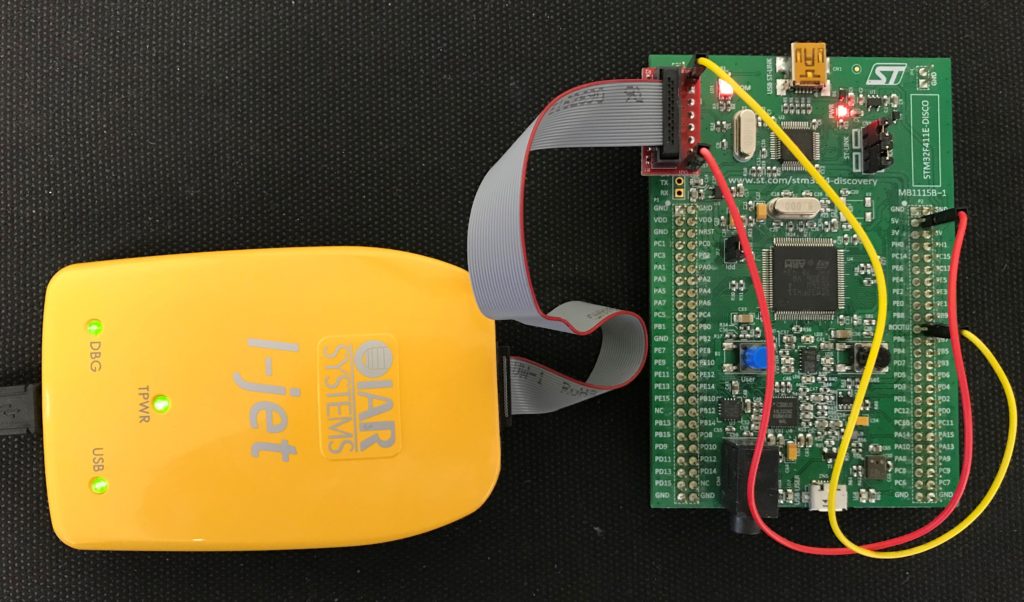
(Image Source – IAR)
Usage – Adapt the IAR I-Jet to any STM Dev Board with a 6-pin connector
Comments – This is a very useful adapter when working with STM development boards.
Conclusions
These are just a few examples of the types of cables you’ll need in your toolbox to successfully connect your programmer to your product and development boards.
Struggling to keep your development skills up to date or facing outdated processes that slow down your team, raise costs, and impact product quality?
Here are 4 ways I can help you:
- Embedded Software Academy: Enhance your skills, streamline your processes, and elevate your architecture. Join my academy for on-demand, hands-on workshops and cutting-edge development resources designed to transform your career and keep you ahead of the curve.
- Consulting Services: Get personalized, expert guidance to streamline your development processes, boost efficiency, and achieve your project goals faster. Partner with us to unlock your team's full potential and drive innovation, ensuring your projects success.
- Team Training and Development: Empower your team with the latest best practices in embedded software. Our expert-led training sessions will equip your team with the skills and knowledge to excel, innovate, and drive your projects to success.
- Customized Design Solutions: Get design and development assistance to enhance efficiency, ensure robust testing, and streamline your development pipeline, driving your projects success.
Take action today to upgrade your skills, optimize your team, and achieve success.

Jacob,
Thanks for another nice article.
With minor exceptions, [begin shameless plug] my board should have the most features mentioned in the post. It is passively pluggable into any programmer with standard 20-pin IDC connector. Check it out:
https://www.tindie.com/products/bitsmith/cortex-m-jtag-interface-extender/
[end shameless plug]
Regards,
Lubos
Thanks for sharing.
Hello,
this is really useful information. Can you please share some details from where below item can be purchased?
Adapter #5 – IAR ADA-MIPI20-STSWD6
Yes. I believe you need to contact either IAR directly or a distributor who stocks IAR products.