Embedd.it MCU Configurator: Visual Devicetree Generation for Zephyr RTOS
You’re integrating a new SPI peripheral into your Zephyr RTOS project. The datasheet is open, and you’ve identified the pins. Now you need to update the Zephyr RTOS Devicetree overlay.
You add the node. Set the compatible string. Define the reg property with the memory-mapped address. Configure the pinctrl. Set the clock. Build.
error: /soc/spi@40023000: missing or empty reg/ranges propertyYou check the datasheet again. The address is correct. You look at the reference board DTS. You search the Zephyr RTOS Community Discord. Someone suggests adding #address-cells and #size-cells. You add them. Build again.
error: /soc/spi@40023000/sensor@0: 'reg' property is required but missingThirty minutes later, you’ve fixed the build. But you’re not confident you understand why it works now.
This is the Devicetree tax. And every Zephyr RTOS developer pays it.
Devicetree Is Essential, and That’s the Problem
If you’re building on Zephyr RTOS or embedded Linux, the Devicetree is unavoidable.
The Zephyr RTOS Devicetree describes hardware to the OS. Peripherals, memory maps, clocks, pins, and interrupts all live in .dts files that compile into board-specific headers at build time.
This abstraction is powerful because you write application code once. Then you change boards by swapping the Devicetree, rebuild, and your code stays the same.
However, the Devicetree itself is notoriously difficult to master. The syntax is specific, and the semantics are subtle. Required properties vary by peripheral type and binding. For example, get a clock reference wrong, and your UART baud rate drifts by 3%. Similarly, miss a #address-cells property, and you get cryptic build errors that don’t point to the actual problem.
Free for Zephyr Developers
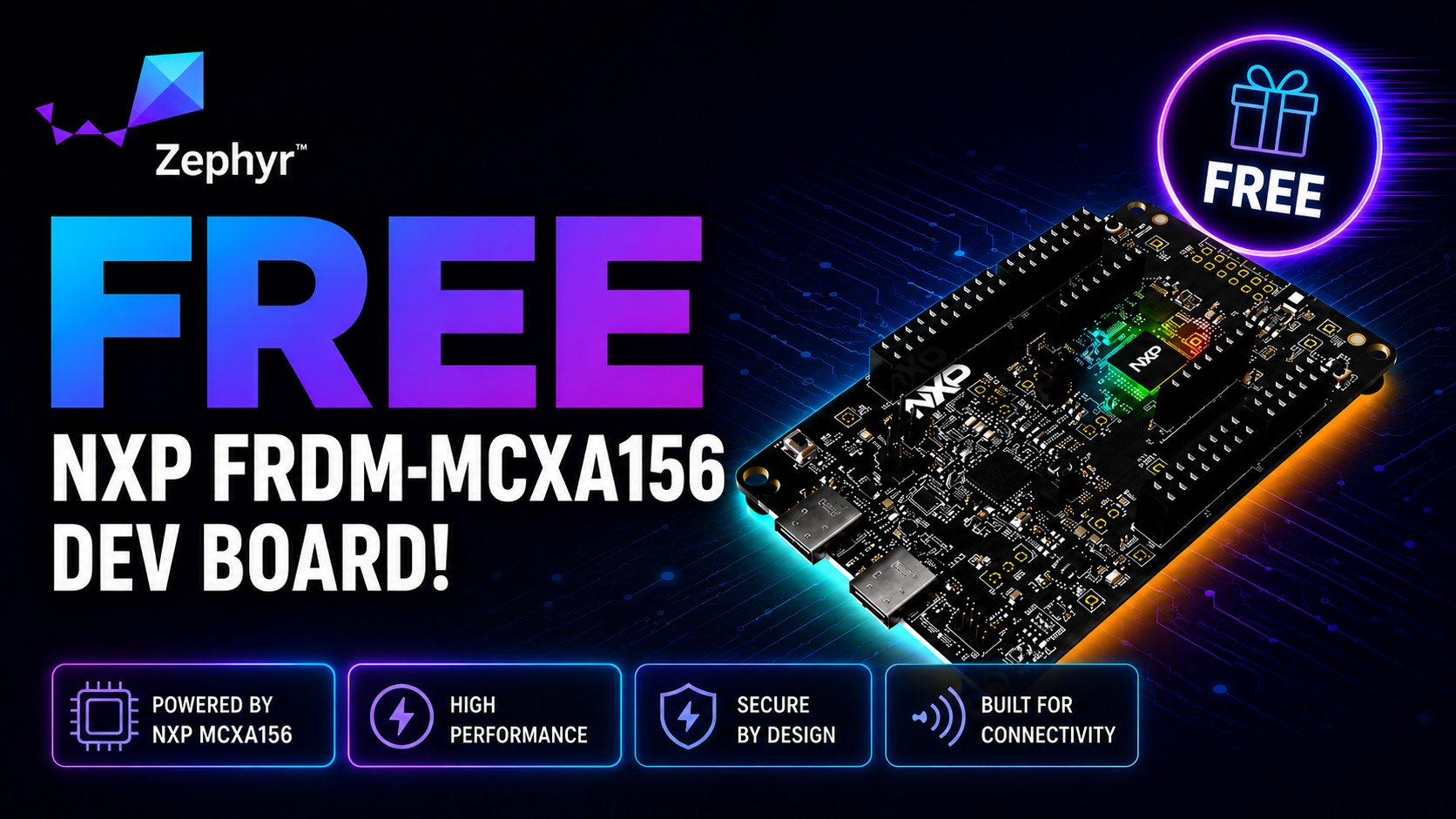
Get a Free NXP FRDM-MCXA156 Dev Board
NXP is offering 500 free FRDM-MCXA156 boards to embedded developers exploring Zephyr. Limited to 500 boards or available through December 31, 2026, whichever comes first.
Claim Your Free Board →The Current Approach Is Trial and Error
Most engineers learn the Devicetree the same way:
- Copy an example. Find a board with similar hardware. Copy the Devicetree node. Modify properties until it compiles.
- Cross-reference datasheets. Look up register addresses, clock sources, and DMA channels in 800-page reference manuals. Translate them into Devicetree syntax by hand.
- Debug cryptic errors. When the build fails, search documentation, forums, and Discord to figure out which required property you’re missing.
And then they just hope it works!
Even when it compiles, there’s no guarantee the configuration is correct until you test on hardware. For instance, a misconfigured clock might not fail the build, but it still makes your SPI bus unreliable.
That learning approach works eventually, but it’s slow, and it doesn’t scale. As a result, every new peripheral means manually editing Devicetree files, cross-referencing datasheets, and debugging build errors.
What Actually Needs to Happen
Vendor MCU configuration tools, like STM32CubeMX, MCUXpresso Config Tools, and Texas Instruments SysConfig, already provide visual interfaces for this exact problem.
With these tools, you click to assign a pin, select a peripheral function, and configure clock sources. The tool then validates your choices and generates initialization code.
However, these tools output vendor-specific HAL code, not Devicetree configurations. They’re locked to their manufacturer’s silicon and designed for bare-metal or vendor RTOS development, not Zephyr RTOS.
Instead, what Zephyr RTOS developers need is the same visual configuration approach, but with Zephyr RTOS Devicetree output. Select your MCU, configure pins, clocks, and peripherals graphically, then generate a standard Devicetree that drops into your project.
That means no manual syntax, no cross-referencing 800-page datasheets, and no cryptic build errors about missing #address-cells properties.
I recently came across a tool that actually fills that gap, the Embedd.it MCU Configurator.
Embedd.it: Visual Configuration, Devicetree Output
Embedd.it launched its Graphical MCU Configurator in September 2025 with a specific focus: visual MCU configuration that generates a Zephyr RTOS Devicetree, along with support for Linux and AUTOSAR.
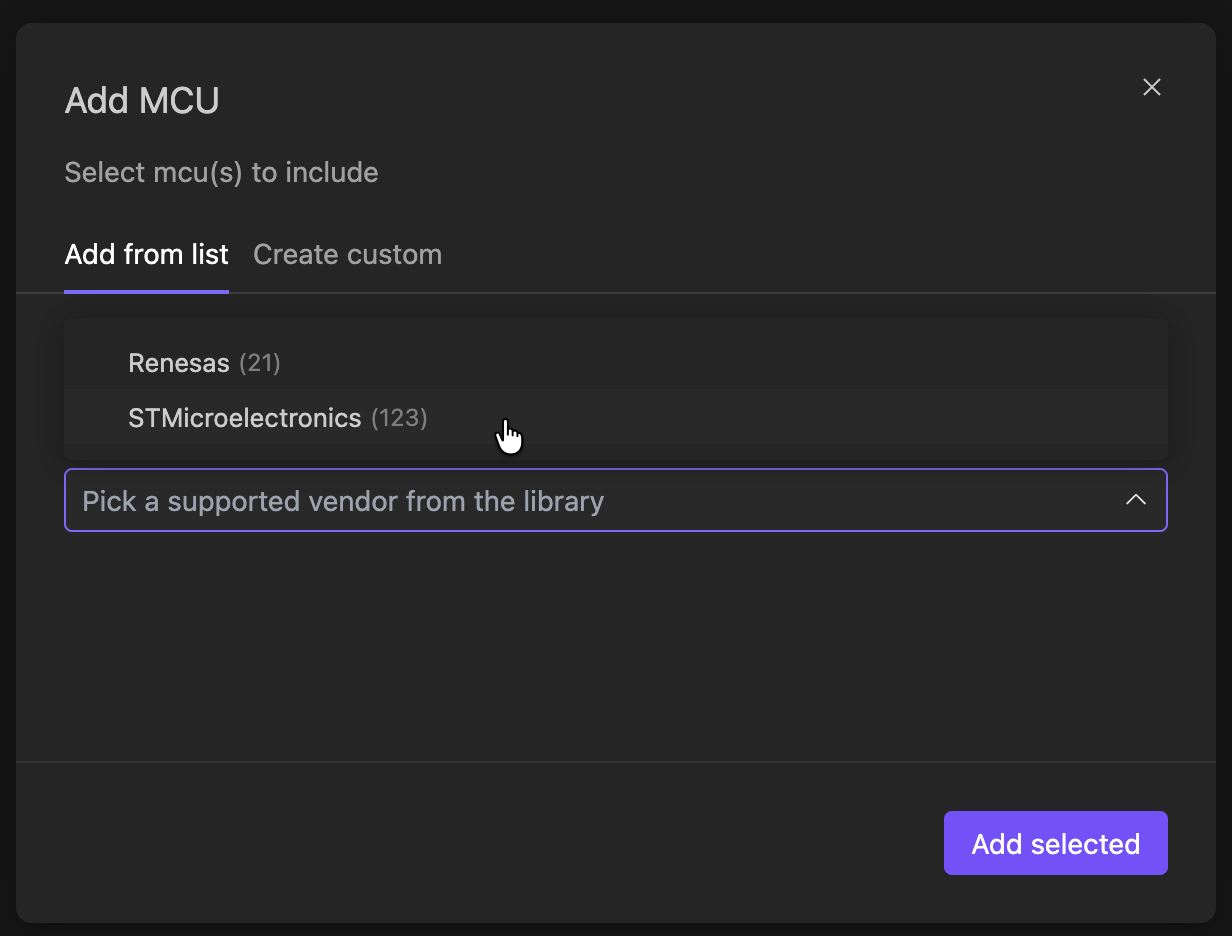
In addition, the tool provides cross-vendor support, currently covering STMicroelectronics and Renesas families through a unified interface, with plans to expand to more vendors and MCU families.
Start by selecting your target MCU from the supported vendor families:
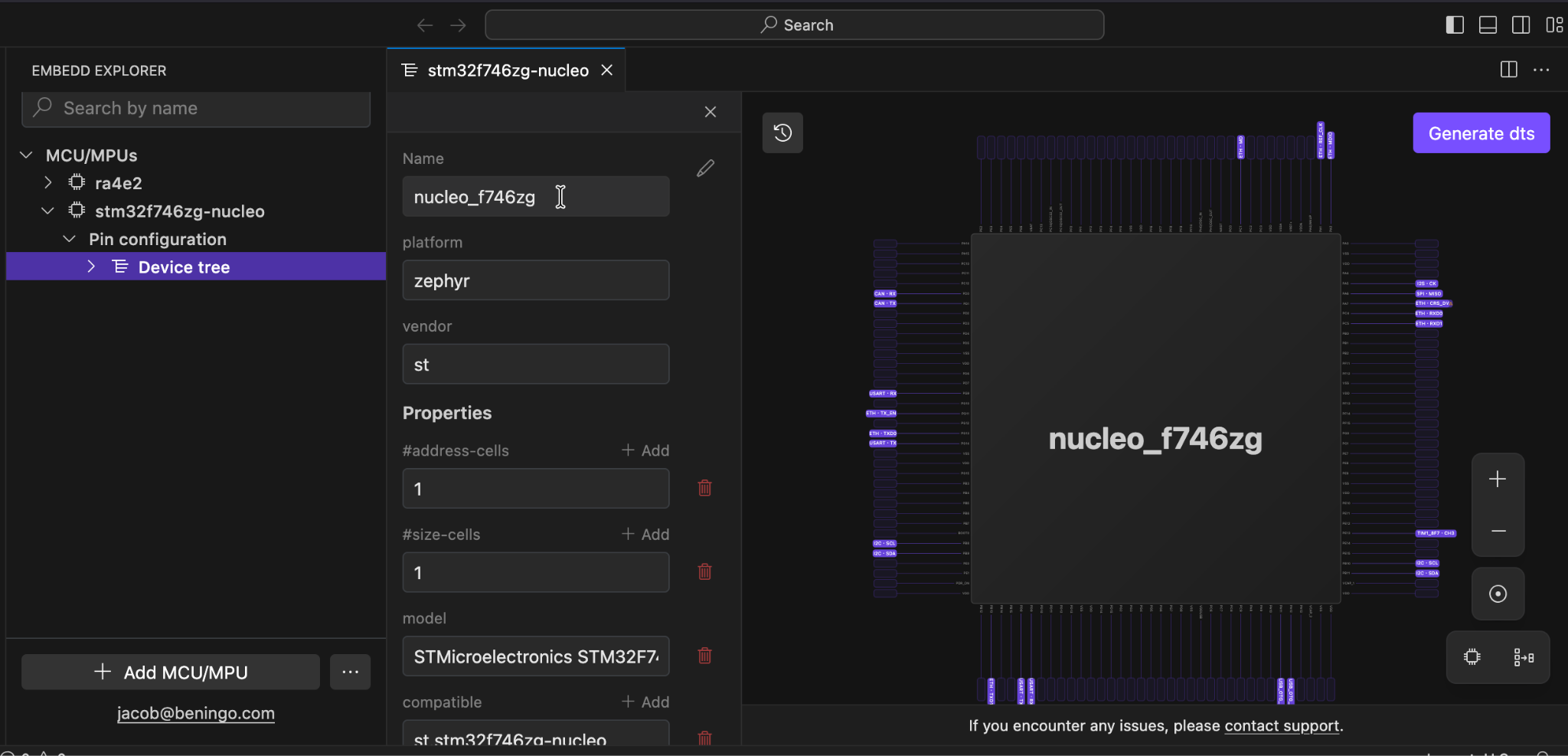
Once your MCU is selected, you get visual access to the chip’s capabilities. The pin view shows the actual chip layout next to a properties panel. You can assign functions, set pin properties, and configure clocks — all without editing Devicetree syntax by hand:
When you’re ready, the tool generates properly formatted Devicetree source code that opens directly in your VS Code workspace:
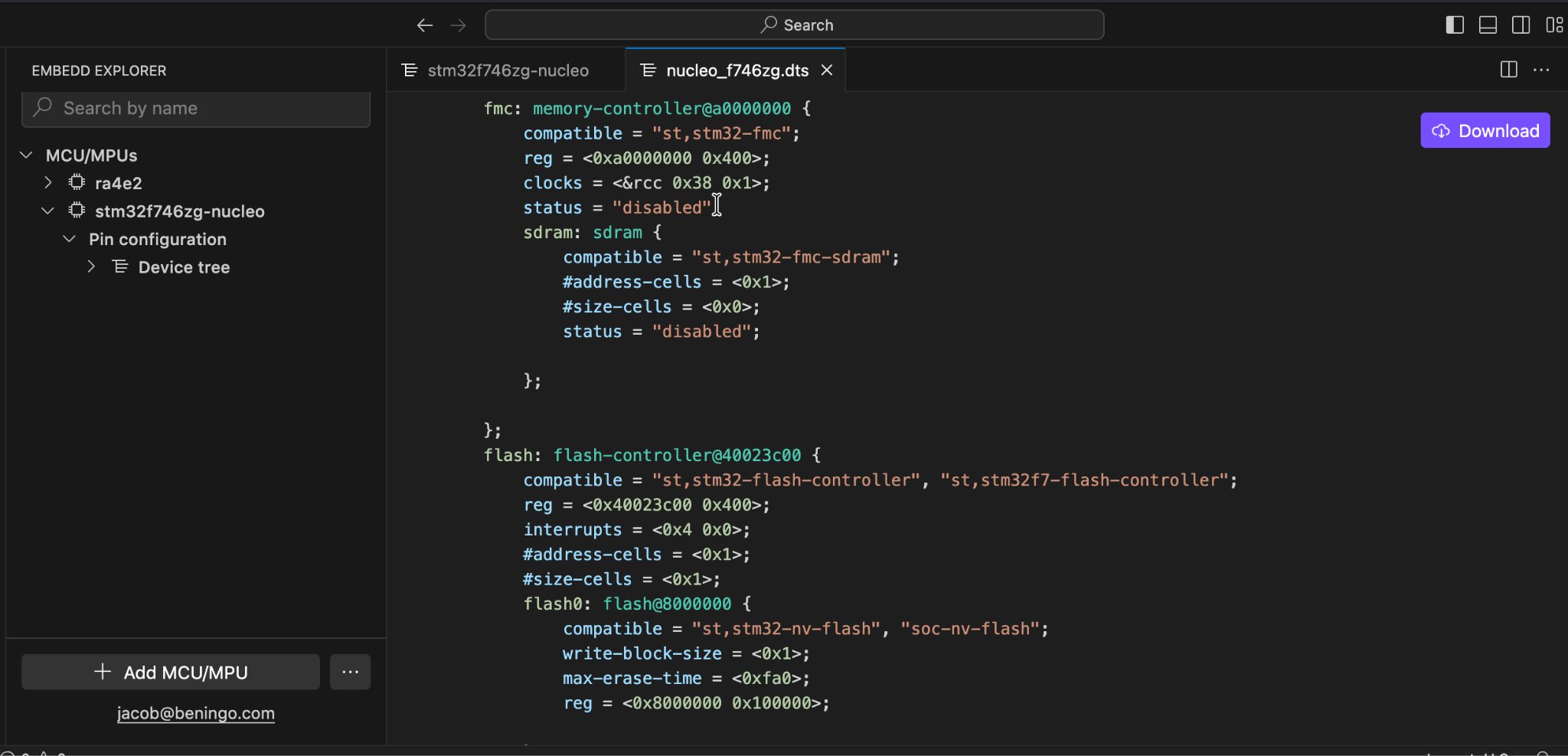
The generated Zephyr RTOS Devicetree includes memory controllers, flash configurations, peripheral definitions, and clock bindings.
Everything follows Zephyr’s Devicetree specifications. Because the code is deterministic and auditable, you can review it, modify it if needed, and commit it to version control like any other source file.
The configuration data comes from real chip documentation (reference manuals, datasheets, SVD files) that Embedd.it ingests and structures using AI. As a result, every peripheral, register, and clock source links back to the original source. This means the fields you configure reflect actual silicon, not approximations.
What’s particularly interesting is how the output gets generated.
While Embedd.it uses AI to extract and structure the underlying data, the Devicetree generation itself is deterministic (rule-based, not AI model-generated). For embedded developers who are rightly skeptical about AI writing production code, that’s a meaningful architectural choice. The output is predictable and won’t hallucinate a property that doesn’t exist.
What It Doesn’t Do (Yet)
Because Embedd.it launched in September 2025, it’s still early. There are practical limitations worth understanding:
MCU family coverage is limited. Currently, Embedd.it supports STMicroelectronics (120+ families) and Renesas (20+ families). If you’re working with NXP, Texas Instruments, Microchip, or Nordic parts, note that additional vendors and boards can be added through commercial engagements. For teams with specific hardware needs, that’s worth knowing before dismissing the tool based on the current free tier.
Manual Devicetree editing still works. If you’ve already invested time mastering Devicetree syntax and built up a library of working examples, then the tool’s value depends on how often you configure new hardware. For one-off board bring-up, manual editing might be faster than learning new tooling.
These aren’t dealbreakers for evaluation, since the tool is free. However, understand what you’re adopting: an early-stage tool that addresses a real pain point with limited current coverage.
Why Using a Devicetree Generation Tool Is Worth It
First, it lowers the Zephyr RTOS Devicetree learning curve. You still need to grasp the core concepts: how the RTOS uses it, how bindings work, and how the build system processes it. I also ran a webinar on Devicetree for Zephyr RTOS to help build that foundation. However, you don’t need to memorize syntax or required properties for every peripheral type.
Second, it catches configuration errors before they become build errors. The tool validates as you configure, so pin conflicts, missing clock sources, and incompatible peripheral settings get flagged in the interface rather than after a failed build.
Third, it scales across boards and peripherals. Hand-writing Devicetree works for one peripheral on one board, but it breaks down when you manage multiple board variants or integrate new hardware regularly. A generation tool makes that work repeatable rather than forcing you to start from scratch each time.
Finally, it shortens onboarding for new team members. A developer unfamiliar with your target MCU can configure peripherals correctly without spending days buried in datasheets.
Where Embedd.it Is Headed
It’s also worth understanding where Embedd.it is headed. The Configurator serves as the entry point to a broader BSP toolchain for drivers, board configs, and documentation. At Embedded World, they’re releasing a Project view for defining full board architectures backed by a Digital Twin. This ties driver generation and board configuration together from a single interface. Furthermore, if your MCU isn’t on the free list, additional vendors can be added through commercial engagements.
If Devicetree Is Your Bottleneck
The Zephyr RTOS Devicetree is essential for development, yet it’s also one of the steepest parts of the learning curve. If you’re spending hours cross-referencing datasheets to hand-write Devicetree nodes or debugging cryptic build errors about missing properties, then the Embedd.it MCU Configurator targets that problem directly.
The tool won’t eliminate the need to understand Devicetree. You still need to know how Zephyr uses hardware descriptions and how bindings work. However, it can eliminate the tedious, error-prone work of translating datasheet information into correct Devicetree syntax.
The MCU Configurator is free to evaluate. Install the VS Code extension or access the web platform at platform.embedd.it. Current coverage is limited to STMicroelectronics and Renesas families, with additional vendors available through commercial engagements.
For teams doing frequent hardware bring-up, board variants, or peripheral integration work on Zephyr, having a visual Devicetree configuration tool changes the time equation. It’s worth an afternoon of evaluation to see if it fits your workflow.
Additional Resources
If you want to deepen your understanding of Devicetree fundamentals before using a generation tool, check out my earlier post: Mastering the Zephyr RTOS Devicetree and Overlays.
Struggling to keep your development skills up to date or facing outdated processes that slow down your team, raise costs, and impact product quality?
Here are 4 ways I can help you:
- Embedded Software Academy: Enhance your skills, streamline your processes, and elevate your architecture. Join my academy for on-demand, hands-on workshops and cutting-edge development resources designed to transform your career and keep you ahead of the curve.
- Consulting Services: Get personalized, expert guidance to streamline your development processes, boost efficiency, and achieve your project goals faster. Partner with us to unlock your team's full potential and drive innovation, ensuring your projects success.
- Team Training and Development: Empower your team with the latest best practices in embedded software. Our expert-led training sessions will equip your team with the skills and knowledge to excel, innovate, and drive your projects to success.
- Customized Design Solutions: Get design and development assistance to enhance efficiency, ensure robust testing, and streamline your development pipeline, driving your projects success.
Take action today to upgrade your skills, optimize your team, and achieve success.