
FreeRTOS to Zephyr Migration: A Step-by-Step Guide for Embedded Developers
If you’ve been in the embedded systems industry for at least a few years, you’ve undoubtedly encountered FreeRTOS. It’s the RTOS that nearly every bare-metal developer adopts when their applications reach critical complexity.
FreeRTOS is fast, lightweight, and it’s been the backbone of embedded development for years. But times are changing.
Today’s developers need more. You need portable drivers, efficient run-time logging and tracing, consistent board support, a modern build system, and a path to scale across product lines without duct tape.
That’s where Zephyr steps in. But if you are used to working with FreeRTOS or already have legacy projects that are built on it, how can you migrate from FreeRTOS to Zephyr without a world of pain?
In this post, I’ll show you how to translate FreeRTOS kernel calls into Zephyr RTOS equivalents. We’ll discuss where behavior is the same, where it isn’t, and the traps that bite teams during the porting process.
We’ll cover:
- Scheduling model differences that actually matter in real systems
- Kernel API translations (threads, semaphores, mutexes, queues, event flags)
- How Zephyr timeouts, logging, and object lifetimes change your code shape
- A pragmatic take on interrupts and deferred work in Zephyr
- A concrete, repeatable migration strategy that reduces risk
Let’s dig in!

Can’t make the webinar? Register for on-demand access which will be available after the live webinar.
Developing a FreeRTOS to Zephyr Migration Strategy
FreeRTOS and Zephyr share similar goals: providing a small, efficient, deterministic real-time kernel for embedded devices.
When you look at their approaches to these goals, you’ll discover that their architectural philosophies diverge significantly.
For example, when you look at the configuration, you find that FreeRTOS provides compile-time configuration through a header file, FreeRTOSConfig.h. Zephyr, on the other hand, Zephyr provides a complete configuration system that uses menuconfig and hierarchical options. (Remember, menuconfig is a tool that can be used to configure KConfig settings).
A comparison between the two RTOSes can be seen in Figure 1 below.

Figure 1 – FreeRTOS and Zephyr RTOS differ in their approach.
The differences between these two RTOSes make it critical to recognize that migration isn’t a simple 1:1 port. Any migration strategy must translate concepts from FreeRTOS into a new framework that encourages modularity and reuse across subsystems.
It can be tempting to jump in and just start translating code. Teams that jump directly into translating will quickly find themselves entangled in subtle API differences or, heaven forbid, priority inversions.
To successfully migrate from FreeRTOS to Zephyr RTOS, you should instead take a top-down approach that performs the migration in phases. Here’s my recommended migration strategy:
Step #1 – Analyze your FreeRTOS Application Architecture
When you implemented your FreeRTOS application, you should have designed a software architecture, so this step should be easy. Just refer back to your architectural documentation.
If you didn’t create an architecture, there’s no better time than the present. Identify your system threads, synchronization objects, interrupt interactions, and timing dependencies.

Figure 2 – An Example FreeRTOS Architecture that identifies threads, semaphores, queues, etc.
Step #2 – Abstract Common Functionality
A good software architecture does not depend on the operating system. Hopefully, you abstracted your FreeRTOS from your application code. If you did, congratulations, and you can skip to step three.
If your software directly calls FreeRTOS APIs, now is the perfect time to decouple your application from the RTOS. We do this through an Operating System Abstraction Layer (OSAL).
Several options are available, like CMSIS-RTOSv2 or even just rolling your own. The key here is that we want to isolate kernel calls from the application logic to migrate from FreeRTOS to Zephyr and perform incremental side-by-side testing.
You can’t easily perform testing if your application is tightly coupled to the RTOS.
Step #3 – Adapt Build and Configuration Systems
Update how you build your application. FreeRTOS typically uses Makefiles or CMake depending on where you got your port. Zephyr uses a West-based Cmake system and KConfig.
I can’t stress enough that in this step, you should review the West documentation and organize your repos to swap between FreeRTOS and Zephyr easily.
Adopting CMake and Ninja will also help you get more reuse and build speed from your existing application. Why does this matter if you’re moving to Zephyr? I look at this as a preparation step. When you move to Zephyr, your application must be built with CMake anyway, so it’s just prep work for when you make the switch. You could also leave it as is and only change it for the Zephyr version.
Step #4 – Port Kernel Primitives
Once the RTOS is abstracted from your application logic, you’re ready to start replacing FreeRTOS objects with Zephyr equivalents.
Most of today’s post will focus on how you can do that. However, keep in mind that we want to keep the structure of our application the same. The changes in this step should only affect what’s hidden behind your OSAL.
Step #5 – Integrate Zephyr Subsystems
At this point, you should have your FreeRTOS application now ported to Zephyr. Now is the time to take full advantage of Zephyr by integrating Zephyr’s device drivers, logging, and peripheral management.
Ultimately, the goal isn’t to make Zephyr behave like FreeRTOS, it’s to leverage Zephyr’s architecture to build a more maintainable and portable system.
Now that we have a general strategy in place, let’s dig into the details about how you can port kernel primitives from FreeRTOS to Zephyr.
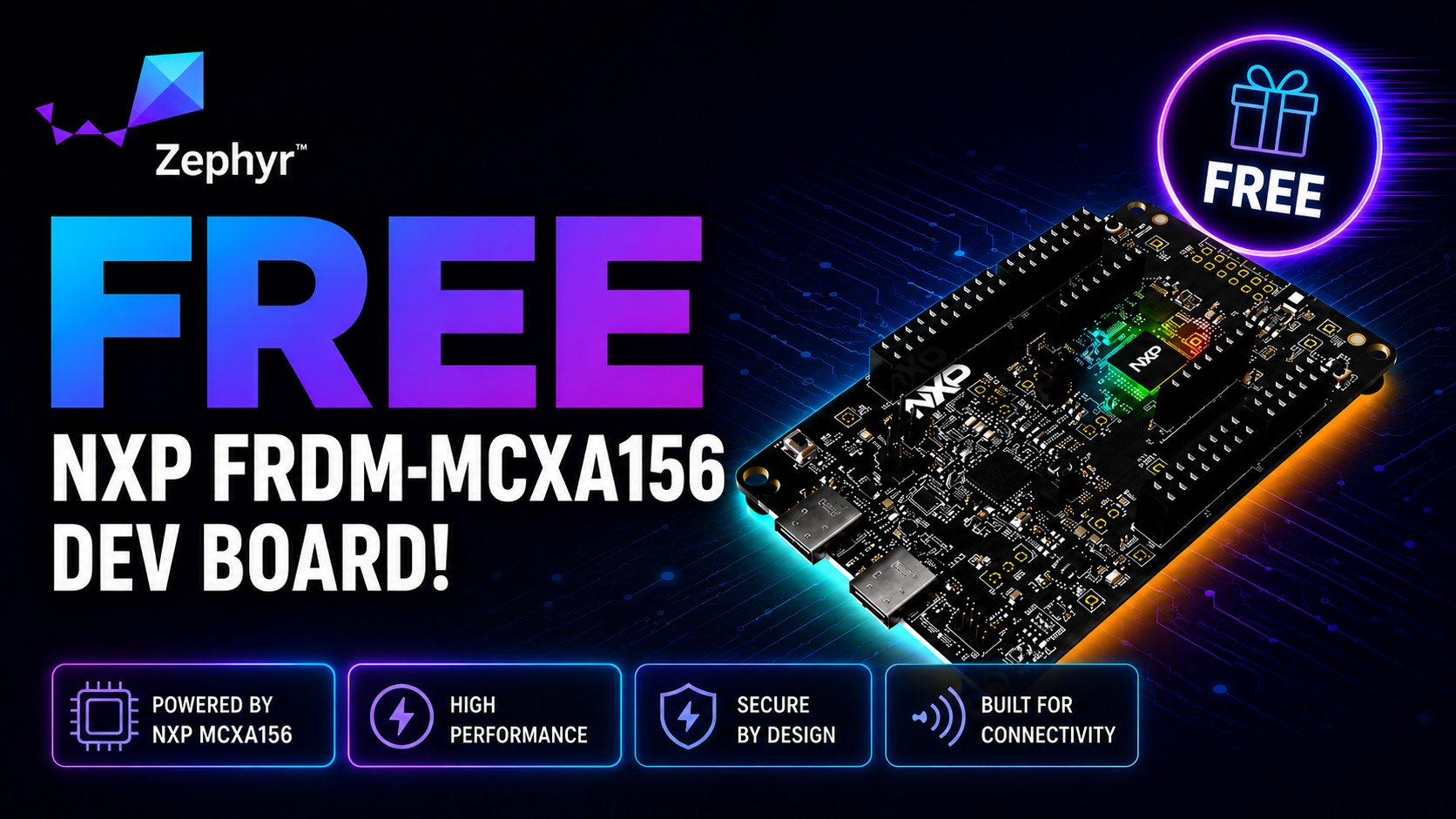
Free for Zephyr Developers
Get a Free NXP FRDM-MCXA156 Dev Board
NXP is offering 500 free FRDM-MCXA156 boards to embedded developers exploring Zephyr. Limited to 500 boards or available through December 31, 2026, whichever comes first.
Claim Your Free Board →Migrating FreeRTOS Scheduling and Kernel Behavior
Both FreeRTOS and Zephyr use priority-based preemptive schedulers, but Zephyr’s design adds flexibility for multicore (SMP) and tickless operation.
FreeRTOS supports these capabilities too, but SMP is provided through a separate version of FreeRTOS and the tickless option feels more bolted on than a full feature.
Let’s take a look at how FreeRTOS and Zephyr handle scheduling along with a few minute details.
FreeRTOS Scheduling
In FreeRTOS, each task has a priority (0–configMAX_PRIORITIES–1), and the scheduler runs the highest-priority ready task.
FreeRTOS is unique in that the higher the task priority level, the higher its priority. This is unique because if you change the max priority level, you also need to change your task priorities.
The configuration is mostly static, and scheduling behavior is influenced by macros like:
#define configUSE_PREEMPTION 1

#define configUSE_TIME_SLICING 1

#define configTICK_RATE_HZ 1000FreeRTOS tick handling is straightforward—every tick can trigger a context switch if a higher-priority task becomes ready.
Zephyr Scheduling
Zephyr uses a thread scheduler with cooperative and preemptive threads, but extends it with features like:
- Tickless kernel: Tasks can sleep until the next timeout, saving energy.
- SMP support: Multiple CPUs can execute threads concurrently.
- Time slicing per priority group: Configurable via CONFIG_TIMESLICING.
If you are using timeslicing with your FreeRTOS application, you’ll want to enable timeslicing in Zephyr by adding the configuration to prj.conf. Remember, prj.conf is the local configuration which overlays on top of your KConfig settings for the specific project you’re working on.
For example, you might add configuration settings such as:
CONFIG_TIMESLICING=y

CONFIG_TIMESLICE_SIZE=2Also, remember that threads are scheduled using priorities where lower numeric values represent higher priority, which is the opposite of FreeRTOS.
FreeRTOS to Zephyr Migration: Thread Model and Conversion
As we proceed through the next several sections, you will discover that no two RTOSes are the same. The API’s are going to look and feel very different between FreeRTOS and Zephyr.
First, let’s look at a simple FreeRTOS task that blinks an LED, which you can see below:
void vBlinkTask(void *pvParameters) {

    for (;;) {

        toggle_led();

        vTaskDelay(pdMS_TO_TICKS(500));

    }

}

xTaskCreate(vBlinkTask, "Blink", 256, NULL, 30, NULL);There are several important points to note here:
- Single pointer passed as a parameter
- vTaskDelay is used to create the task delay
- xTaskCreate is used to create the task (there are other API options as well)
Let’s now look at a thread in Zephyr. You can see the same thread, but implemented for Zephyr below:
void blink_thread(void *p1, void *p2, void *p3) {

    for (;;) {

        toggle_led();

        k_msleep(500);

    }

}

K_THREAD_DEFINE(blink_tid, 1024, blink_thread, NULL, NULL, NULL, 2, 0, 0);If you compare the Zephyr version to FreeRTOS, there are some major differences you need to consider. Translate by hand (unless you decide to ask your favorite AI to perform the translation for you).
Zephyr threads allow up to three parameters to be provided to the thread
- k_msleep is used to delay thread execution
- K_THREAD_DEFINE is a macro used to create the thread.
- blink_tid is a thread handle
- The stack size is 1024 bytes, not 256 words
- The thread priority is set to 2, which is one of the highest priorities
There are two points that may trip you up. The stack size and the thread priority.
FreeRTOS assigns the stack in depth, not bytes, which on a 32-bit part is 4 bytes per single depth. So, defining a stack depth of 256 assigns 1024 bytes of stack space.
That isn’t very clear, and I always see my RTOS students get tripped up by it. Zephyr does something logical. It defines the stack size in bytes. So, if you want a kilobyte, you put 1024.
Second, the task/thread priorities are reversed. A 30 for FreeRTOS is one of the highest priorities, and a 2 for Zephyr is one of the highest. They are inverted! So, when translating, take care not to copy and paste.
Note: You may get compiler warnings if you don’t use all the parameters of a thread. If you don’t use a parameter, use ARG_UNUSED and wrap your parameter in it. i.e. ARG_UNUSED(p1);
FreeRTOS to Zephyr Migration: Semaphores and Mutexes
One of my biggest pet peeves about FreeRTOS is that it uses the same API for mutexes and semaphores. It drives me crazy because these objects serve very different purposes, and I’ve found it really confuses developers new to real-time operating systems.
Let’s look at a FreeRTOS example that creates a binary semaphore and see how we can create the semaphore in Zephyr, along with a mutex.
In FreeRTOS, you create a semaphore using one of several semaphore API’s. We’ll use the following:
SemaphoreHandle_t sem = xSemaphoreCreateBinary();If you wanted to take the semaphore, you would use the xSemaphoreTake API as shown below:
xSemaphoreTake(sem, portMAX_DELAY);If you wanted to give the semaphore, you would use the following:
xSemaphoreGive(sem);As you can see, relatively simple. So, how do we convert this to Zephyr?
First, create the semaphore object as follows:
struct k_sem sem;

K_SEM_DEFINE(sem,0,1);The above example creates the semaphore at compile time. If you want to dynamically create it at runtime, you can use the following instead:
struct k_sem sem;

k_sem_init(&sem, 0, 1);In general, static allocation at compile time is preferred over dynamically allocating at runtime.
With the semaphore created, you now swap out the FreeRTOS give and take calls with the equivalent for Zephyr. These are:
k_sem_give(&sem);

k_sem_take(&sem, K_MSEC(10));Notice that the take function allows you to specify a timeout for waiting to take the semaphore before proceeding. Unlike FreeRTOS, Zephyr objects are passed by pointer rather than opaque handles. So be careful when you translate the code!
For mutexes, the concept is similar:
struct k_mutex my_mutex;

K_MUTEX_DEFINE(my_mutex);

k_mutex_lock(&my_mutex, K_FOREVER);

k_mutex_unlock(&my_mutex);Again, the above example will statically allocate the mutex. Dynamically allocating it can be done at runtime with k_mutex_init(&my_mutex).
Mutexes in Zephyr include priority inheritance by default, which must be explicitly enabled in FreeRTOS via configUSE_MUTEXES and configUSE_PRIORITY_INHERITANCE.
FreeRTOS to Zephyr Migration: Queues and Data Passing
Message Queues are an important tool to move data around an RTOS application. FreeRTOS offers message queues using xQueueCreate() and related APIs. For example:
QueueHandle_t q = xQueueCreate(10, sizeof(uint8_t));

uint8_t data = 42;

xQueueSend(q, &data, portMAX_DELAY);

xQueueReceive(q, &data, portMAX_DELAY);Zephyr provides multiple options depending on the use case:
- k_msgq: For small, fixed-size messages
- k_fifo: For linked list–based queues
- k_queue: For generic queueing with dynamic data
There’s even a zbus for more complex multi-receiver messaging, but that’s beyond the scope of our discussion today. (Still a really cool feature though!)
The most equivalent Zephyr object to FreeRTOS Queues are k_msgq. That doesn’t mean you should just do a 1:1 conversion. I highly recommend exploring your use case and selecting the option that best fits your needs.
For pointer-based data structures, k_fifo or k_queue may be more appropriate.
Assuming k_msgq fits, the API’s and usage will look familiar to you:
struct k_msgq my_msgq;

K_MSGQ_DEFINE(my_msgq, sizeof(uint8_t), 10, 4);

uint8_t data = 42;

k_msgq_put(&my_msgq, &data, K_FOREVER);

k_msgq_get(&my_msgq, &data, K_FOREVER);FreeRTOS to Zephyr Migration: Event Flags and Synchronization
One of the most underutilized objects in FreeRTOS, and perhaps all RTOS-based applications, is the event flag. FreeRTOS event groups are a convenient way to synchronize multiple tasks.
The code is pretty straightforward:
EventGroupHandle_t eg = xEventGroupCreate();

xEventGroupSetBits(eg, BIT0);

xEventGroupWaitBits(eg, BIT0, pdTRUE, pdFALSE, portMAX_DELAY);Zephyr has an equivalent in its event API:
struct k_event my_event;

K_EVENT_DEFINE(my_event);

k_event_post(&my_event, BIT(0));

k_event_wait(&my_event, BIT(0), true, K_FOREVER);Like FreeRTOS, Zephyr allows waiting for multiple flags, clearing after read, and timeouts. However, Zephyr also integrates event objects deeply with its thread and kernel subsystems, enabling more consistent interaction with other primitives.
FreeRTOS to Zephyr Migration: Interrupt Handling and ISRs
Both kernels support interrupt service routines (ISRs), but Zephyr formalizes them more strongly in its architecture. Let’s look at each model individually to see how each implements them and what the translation looks like.
First, FreeRTOS has a separate set of ISR-safe API’s that are postfixed with _FromISR. For example:
void ISR_Handler(void)

{

    BaseType_t xHigherPriorityTaskWoken = pdFALSE;

    xSemaphoreGiveFromISR(sem, &xHigherPriorityTaskWoken);

    portYIELD_FROM_ISR(xHigherPriorityTaskWoken);

}I’ve personally always felt like this implementation was a band-aid. First, the fact that you need special APIs for ISRs causes the FreeRTOS API space to balloon to nearly double in size. Second, the kernel isn’t smart enough to know that it needs to run if an ISR fires. You must make a special call to force the kernel to run as a developer.
Again, this makes FreeRTOS confusing to developers new to RTOS applications and is completely unnecessary. And here’s my case. Look at the Zephyr equivalent implementation below:
ISR_DIRECT_DECLARE(my_isr)

{

    k_sem_give(&my_sem);

    return 1; // Reschedule

}Zephyr uses a unified API for ISRs with the ISR_DIRECT_DECLARE() or IRQ_CONNECT() macros. If the ISR returns a non-zero value, the kernel automatically handles scheduling.
This model avoids the manual bookkeeping required in FreeRTOS and aligns better with hardware abstraction layers.
Now, you might wonder why either RTOS would force you, as a developer, to do extra work to make the kernel run after the ISR. The reason is that sometimes you want the ISR to be low-latency. So, if you want to get back ASAP from the ISR, then you could return zero or not run the kernel so that the return time is minimal.
Note: If your FreeRTOS application uses deferred interrupt handling (e.g., via task notifications), Zephyr offers equivalent mechanisms through k_poll, message queues, or work queues for deferred execution.
Migrating an Example Producer-Consumer Application
So far, we’ve discussed migration strategies and how to translate a FreeRTOS call into the equivalent Zephyr call. Let’s look at an example where we are a producer and a consumer. We’ll explore the FreeRTOS version and then the equivalent Zephyr version.
FreeRTOS
QueueHandle_t queue;

void producer(void *pvParameters) {
    int count = 0;

    for (;;) {
        xQueueSend(queue, &count, portMAX_DELAY);
        count++;
        vTaskDelay(pdMS_TO_TICKS(500));
    }
}

void consumer(void *pvParameters) {
    int data;

    for (;;) {
        xQueueReceive(queue, &data, portMAX_DELAY);
        printf("Received: %dn", data);
    }
}

int main(void) {
    queue = xQueueCreate(10, sizeof(int));
    xTaskCreate(producer, "prod", 256, NULL, 2, NULL);
    xTaskCreate(consumer, "cons", 256, NULL, 2, NULL);
    vTaskStartScheduler();
}Zephyr
K_MSGQ_DEFINE(queue, sizeof(int), 10, 4);

void producer(void){
    int count = 0;

    for (;;) {
        k_msgq_put(&queue, &count, K_FOREVER);
        count++;
        k_msleep(500);
    }
}

void consumer(void) {
    int data;

    for (;;) {
        k_msgq_get(&queue, &data, K_FOREVER);
        printk("Received: %dn", data);
    }
}

K_THREAD_DEFINE(prod_tid, 512, producer, NULL, NULL, NULL, 2, 0, 0);

K_THREAD_DEFINE(cons_tid, 512, consumer, NULL, NULL, NULL, 2, 0, 0);The structure and flow remain familiar, but Zephyr’s system allows static initialization, integrated logging, and smoother multi-core scalability.
Your Next Steps
At this point, you’ve seen how to translate key FreeRTOS kernel primitives into Zephyr equivalents.
You’ve also seen that a successful migration isn’t a copy-and-paste job—it’s about modernizing your foundation so your software is easier to scale, test, and maintain.
If you’re ready to put this into practice, here are three practical steps you can take today:
- Build an OS Abstraction Layer (OSAL) – Start by wrapping your FreeRTOS calls (xTaskCreate, xSemaphoreTake, xQueueSend, etc.) behind a neutral interface. This simple step lets you switch between FreeRTOS and Zephyr backends without breaking your application logic.
- Port and Test One Primitive at a Time – Move threads first, then semaphores, mutexes, queues, and finally event flags. After each change, run the same application behavior tests. This incremental approach keeps your migration stable and predictable.
- Adopt Zephyr’s Tooling and Ecosystem – Once your OSAL is stable, move your build into Zephyr’s West workspace, configure your features through prj.conf, and start replacing custom drivers with Zephyr subsystems. You’ll be surprised how much code you can delete.
By working through these steps, you’ll go from seeing the migration as a painful rewrite to realizing it’s a structured evolution.
Your FreeRTOS experience doesn’t go to waste – it gives you the intuition to make wise choices inside Zephyr’s more capable architecture.
The next time you open your code and see k_thread, k_sem, and k_msgq, you won’t see unfamiliar APIs; you’ll see the next generation of your software, built for portability, observability, and long-term success.
In the next post, we’ll discuss Mastering Zephyr RTOS Device Tree and Overlays.
Additional Resources
- Blog – Introduction to the NXP MCX N FRDM Board
- Blog – Getting Started with Zephyr RTOS
- Blog – How to Configure Zephyr RTOS: A Practical Guide to West, Kconfig, proj.conf
- Free Training – Getting Started with MCUXpresso for Visual Studio Code
- Free Webinar – Getting Started with the MCUXpresso SDK for NXP MCUs
- Free Webinar – Migrating from FreeRTOS to Zephyr RTOS
👉 Don’t miss the rest of this series. Sign up for my Embedded Bytes newsletter to get the latest posts, insights, and hands-on tips delivered straight to your inbox.
Struggling to keep your development skills up to date or facing outdated processes that slow down your team, raise costs, and impact product quality?
Here are 4 ways I can help you:
- Embedded Software Academy: Enhance your skills, streamline your processes, and elevate your architecture. Join my academy for on-demand, hands-on workshops and cutting-edge development resources designed to transform your career and keep you ahead of the curve.
- Consulting Services: Get personalized, expert guidance to streamline your development processes, boost efficiency, and achieve your project goals faster. Partner with us to unlock your team's full potential and drive innovation, ensuring your projects success.
- Team Training and Development: Empower your team with the latest best practices in embedded software. Our expert-led training sessions will equip your team with the skills and knowledge to excel, innovate, and drive your projects to success.
- Customized Design Solutions: Get design and development assistance to enhance efficiency, ensure robust testing, and streamline your development pipeline, driving your projects success.
Take action today to upgrade your skills, optimize your team, and achieve success.