
5 Skills Every Embedded GUI Developer Needs
Graphical user interfaces (GUI) are becoming more popular among embedded systems. The need for a convenient and connected interface is finding its way into wearable technologies, industrial equipment, commercial kitchens, and even home appliances. Throwing a GUI with a modern and sophisticated user experience (UX) on a device opens the door for many businesses’ use cases, but it can also add unexpected challenges to a design if the team does not have the right skillset.
Today’s post will explore the five essential skills that every embedded GUI developer needs to be successful.
Skill #1 – Graphics driver skills
The last skill that any team will think about when designing an embedded GUI, but perhaps one of the most important, is graphics driver skills. A graphics driver is the software that directly interfaces with the microcontroller or microprocessor graphics peripheral and is responsible for drawing the image on the LCD that the user sees and interacts with. The graphics driver is code that takes the image data from the rendering engine and tells the processor what it is drawing.
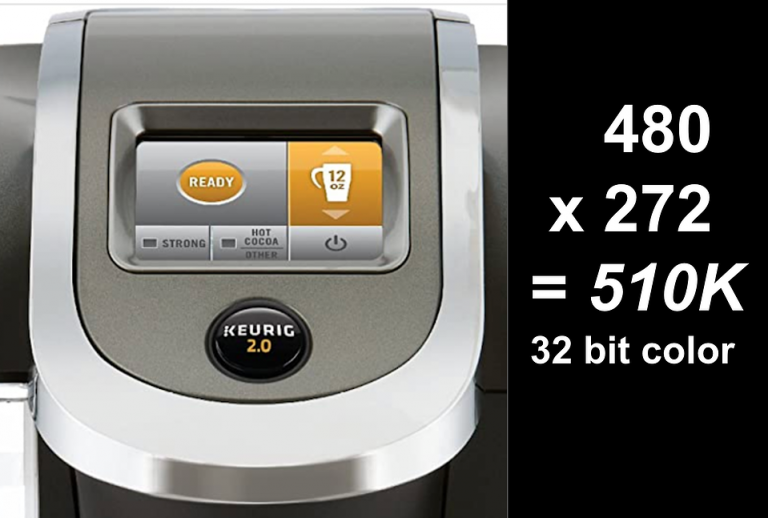
A good embedded GUI tool today will typically handle the graphics driver for developers. Developers need a hardware-agnostic rendering engine where most of the heavy lifting is done for them. There are several examples available in the embedded industry today, but let’s use Crank Software’s Storyboard for our discussion. Storyboard’s rendering engine is 90% agnostic to the hardware and is separate from the hardware board support package (BSP). There is a small 10% that is written for specific hardware to optimize rendering and leverage accelerators in specific hardware targets. The engine itself handles the graphics driver for the developer.
Since Storyboard handles developers’ drawing and graphics, why is it important to still have graphic driver skills? The GUI developer should understand what is happening under the hood so that they can resolve any issues that come up during implementation, leverage any additional optimizations, and have a familiarity with how the rendering engine works.
Skill #2 – Tracing and debugging
It’s good to be optimistic, but embedded systems today are complex, and the chances that something isn’t going to work as expected are relatively high. Therefore, it’s crucial to have tracing and debugging skills when something is not working or is perhaps working but not as well as one would like. A good debugger can pull data, observe behaviors, hypothesize, and ultimately improve the system behavior.
To minimize debug time, …
Continue reading at the Crank Software Blog by clicking here.
Struggling to keep your development skills up to date or facing outdated processes that slow down your team, raise costs, and impact product quality?
Here are 4 ways I can help you:
- Embedded Software Academy: Enhance your skills, streamline your processes, and elevate your architecture. Join my academy for on-demand, hands-on workshops and cutting-edge development resources designed to transform your career and keep you ahead of the curve.
- Consulting Services: Get personalized, expert guidance to streamline your development processes, boost efficiency, and achieve your project goals faster. Partner with us to unlock your team's full potential and drive innovation, ensuring your projects success.
- Team Training and Development: Empower your team with the latest best practices in embedded software. Our expert-led training sessions will equip your team with the skills and knowledge to excel, innovate, and drive your projects to success.
- Customized Design Solutions: Get design and development assistance to enhance efficiency, ensure robust testing, and streamline your development pipeline, driving your projects success.
Take action today to upgrade your skills, optimize your team, and achieve success.